Write the order once,
from quote to return.
Sales → New writes the sale that needs more than the counter: a deposit today and delivery next week, a booked service visit, a special order, or a quote the customer signs on a link. A return goes back on the sale it came from.
From the first quote to the last return
Sales → New is the full order form, on every plan. Sales → List keeps what it saves.
Status sets the stock,
payments set the balance.
Pick how it leaves — Store Pickup, Local Delivery, Shipping, Service or Mixed — and the Order Status decides the stock: Completed takes it now, Pending Delivery or Processing reserves it until the order is fulfilled. Payment 1 fills itself in with the total; type a deposit instead and the rest stays due on the order. Separate Payment adds a second and a third payment and shows what is still Remaining as you type.
The customer who asked,
already on the order.
When someone asks for an item you don’t stock, Procurement lists it under Requested, not stocked. Special order there names each person still waiting, and Start special order opens Sales → New with that customer and the item already filled in, marked with a blue Special order chip. A visit logged in Walk-ins starts its own order the same way once it is marked Sold.
Signed with a finger,
on the quote’s own link.
Others → Quote saves a quote that holds no stock. Send its online link and the customer types their name, signs in the box with a finger or a mouse, ticks your quote terms if you have any, and taps Approve — or Decline, with a reason. Your store is emailed at once, and the order window reads “Approved · signed by J. Alvarez · 2:14 PM”. Convert to Sale when you are ready to go ahead.
A return goes back
on the sale it came from.
A return is never a new order. Open the sale and choose ⋯ → Create return — or press Return on the Register and scan the receipt — then pick the reason, tick the items and the serials coming back, and set each one’s condition. Refund the way they paid or to the customer’s store credit. The sale then shows on the Return tab of the order list, by the day the return was made.
Group, pivot and export
every order you sold.
On Premium, the order list adds a Groupable View — nest any of 17 fields, such as Location, Month, Payment Method or Balance Status, each group with its count, total, paid and balance — and a Pivot View built from row, column and value fields. Their totals cover every matching order, net of returns. Export CSV downloads the view you built; from the standard list it holds up to 10,000 orders.
The rest of the sale lives next door.
The same order is rung up at the counter, credited to whoever sold it, held to your discount limits and counted when a customer leaves without it. Each of those has its own page.
The counter
A take-it-today sale with no delivery or service is faster on the Register: scan, take the money in as many tenders as it takes, print the receipt. Its Full form button brings the cart here when the sale turns out to need a delivery or a booked visit.
See the RegisterCommission and spiffs
Cashier credits the sale to the person who sold it, and while your store pays commission, Split with shares it with up to two more. A manufacturer spiff adds dollars per unit on top, with a claim list to mark what you claimed back from the brand, and with Workforce on, commission goes onto the pay run.
See Workforce & Time ClockDiscount limits
With Discount limits on in Settings → Team, an item marked down past someone’s limit opens a panel instead of saving, and a manager says yes with a PIN on the same screen or from a request on their phone. Below an item’s cost, only the owner can say yes.
See Team, Permissions & AuditThe sale you did not make
A line with nothing available offers “Nothing available here.” with one-tap reasons. Tap one if the customer leaves without it and it counts in the Lost Sales Report; the line stays in case they buy after all.
See Lost Sales & Walk-ins
What Sales Management does not do
- Create Order records payments; it does not charge a card. Save the order, then charge a card from its Payment tab or the Register, with the integrated card payments add-on.
- There are no drafts. Leaving the page, or switching tabs, clears what you have entered.
- A sale here needs a customer. A walk-in with no customer is rung up on the Register.
- Returns are not made on the order form. They are taken on the original sale, and only for goods that left the store.
- There is no per-line discount box: each line has its price, and the Extra Discount is a dollar amount off the whole order, shared across the items by value.
- Gift cards and trade-ins are payment-method names only. There are no gift-card balances and no trade-in intake.
- Groupable View, Pivot View and Export CSV on the order list need the Premium plan.
Quotes and who sold what, on the phone.
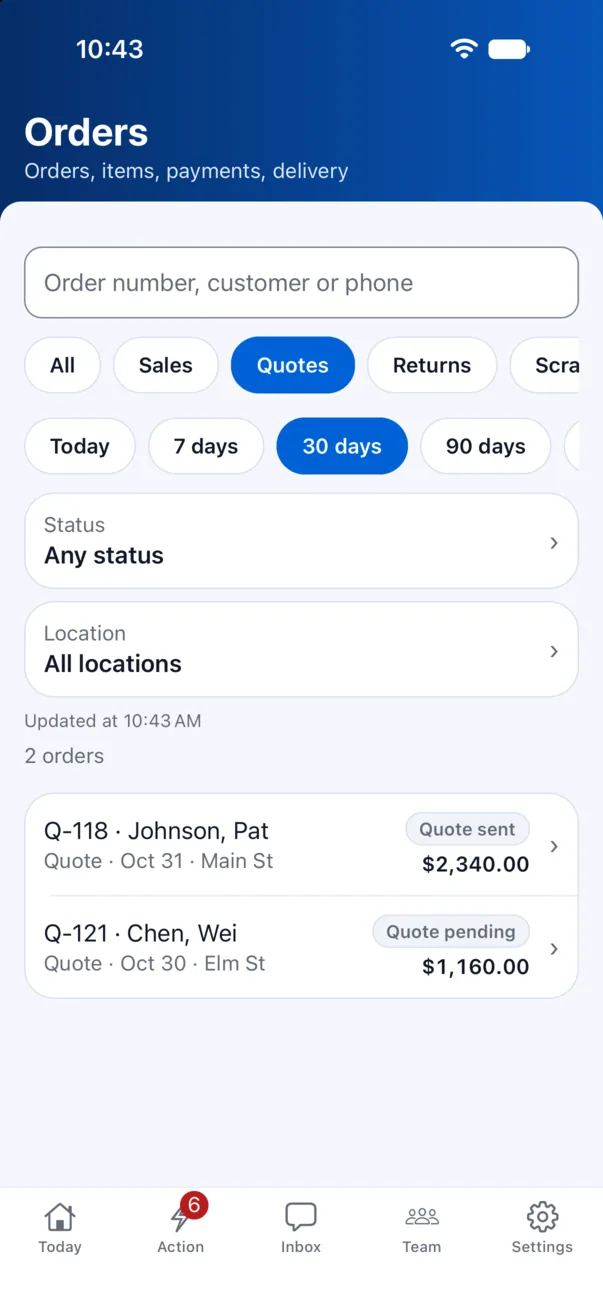
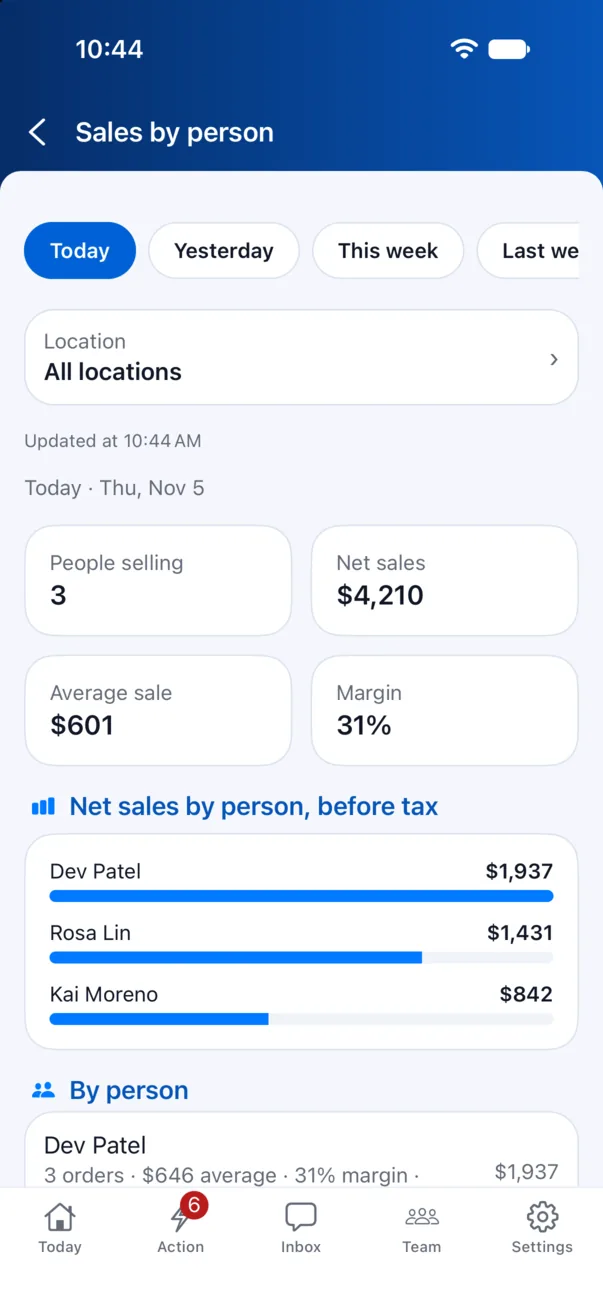
Orders filters down to quotes, so an open quote is a tap away with its status and total. Sales by person shows each salesperson’s net sales for the day or the week, with the average sale, and the margin for the people allowed to see cost.
The UpChannels phone app is built and coming to iPhone and Android. It isn’t in the App Store or Google Play yet. Screens show sample data.
Writing a sale, answered
Can I take a deposit now and the rest on delivery?
What happens to my stock when I write an order?
How does a customer approve a quote?
Can I keep the invoice numbers from my own invoice book?
How do returns work?
Can I sell an item that is out of stock?
Which plans include Sales Management?
Sales Management is one part of UpChannels
UpChannels Sales Management is the full order form for small retailers and service businesses, on every plan: sales for store pickup, local delivery, shipping or a booked service visit; an Order Status that takes the stock now or reserves it; a deposit now and up to three payments; a warranty or protection plan per line; services with their parts; special orders started from the customers who asked; quotes the customer signs and approves on the quote's own link; your own invoice number beside the system one; and returns taken on the original sale, with restocking fees and refunds to store credit. Grouped and pivot views of the order list and their CSV export are on Premium. Counter sales are rung up on the Register.
UpChannels is an all-in-one platform for small retailers and service businesses — sales, inventory, customers, scheduling, delivery, payments and finance in one system — and a real team that builds your website, runs your ads, and automates the busywork. The parts below share one set of records, so there is no integration to wire up between them; the pricing page shows which plan includes each one.
The product moves faster than this page. UpChannels ships updates most weeks, so a description here can lag what is already in the software. Where the two disagree, the running product is the current version — tell us if you find one and we will correct the page.
Ready to run your
whole business on one system?
Start your free trial today. No credit card required.
One system for the counter, the schedule, the truck and the books. A team to build the website, run the ads and take the busywork off you. Start with the trial, or let us walk you through it first.